


How to use
Loans
Please bring the materials you want to borrow and the student ID card (user ID) to the counter.
Materials that are prohibited cannot be borrowed, so please use them in the museum.
| Classification of use | Books | Magazines |
|---|---|---|
| Teachers | Number of books: 50 Period: 6 months |
Number of books: 3 Period: 1 week |
| Insho | Number of books 10 Period: 1 month |
Number of books 1 Period: 1 week |
| Undergraduate students | Number of books: 4 Period: 2 weeks |
Number of books 1 Period: 3 days |
| Undergraduate students (4th grade) | Special Obide (*) 4 books Period: 1 month |
- For special research such as paper preparation, books can be taken separately from the normal lending frame.
Please fill out the required form and submit it to the counter.
Return
Please bring the materials you want to return to the counter.
It is also possible to post it to the return box installed at the front entrance on the 1st floor of the main building.
- Please bring books that are wet with water directly to the library counter.
- Items with attached materials such as CDs should be returned at the counter along with books and CDs.
If you return after the due date, you will not be able to borrow a new loan for the excess number of days.
If the number of excess days exceeds 60 days, you will not be able to enter.
If it is difficult to return within the deadline due to illness accidents, etc., please contact the library.
Extension
It can be extended once only if there is no reservation in the material you want to extend.
The following materials cannot be extended.
- Sequential publications (magazines, university bulletins)
- Books that have already been extended once (up to once)
- Books borrowed by special occasions
Reservations
If the material you want to borrow is already borrowed, you can make a reservation. Please fill out the prescribed form and submit it to the counter. Or you can make a reservation from My Portal.
Copying
Materials held in the University Library can be copied within the scope of copyright.
A copy machine is installed in the reading room on the second floor. Please be sure to submit the application documents at the counter before use.
The fee for copying is 10 yen per copy (monochrome only).
Available sizes are A4, A3, B5, B4.
Please observe the following.
- The materials must be in possession of the university. (Notes and materials are not allowed)
- The published work must be in part, not in whole.
- Periodicals (including newspapers) must be other than the latest issue.
- The number of copies is limited to one person, and do not re-copy.
- This is for the research of users.
Reference
We accept the following questions and consultations, such as how to use the library and searching for materials.
- I would like to know about the use of the library.
- I would like to know how to view and use the OPAC (Collection Search) screen.
- I want to know how to find books and papers on a topic.
- I can't find the materials I'm looking for.
- I want to know how to use the database.
- I would like to obtain materials from other universities and institutions.
If you have any questions, please feel free to contact the counter.
Application for book purchase (student only)
You can apply for the purchase of books necessary for research, educational or learning.
Please fill out the required form and submit it to the counter.
Teachers have separate forms, so please contact Library Division.
Language AV room
You can use audiovisual materials such as CDs, DVDs, videos, etc. held at the University Library.
When you wish to use the service, please fill out the required form and submit it to the counter.
In principle, one use time shall be within 2 hours.
It is not possible to reproduce the materials brought in.
Group Study Room (Only on-campus)
It can be used by about 2 to 10 people.
Reservations are required, and reservations can be made 2 weeks before the desired date of use. Please fill out the required form and submit it to the counter.
For applications on the day, it can be used if there is a vacant room and there is no reservation.
As a general rule, one use time shall be within one class unit (90 minutes).
| Name | Capacity | Equipment |
|---|---|---|
| Room A | 10 people | Whiteboard, Blu-ray, DVD, video |
| Room B | 8 people | Whiteboard, DVD, Video |
| Room C | 8 people | Whiteboard |
Internet PC (Only for students)
You can use various databases.
Please fill out the required form and submit it to the counter.
The usage time is 1 hour in principle. If there is no other applicant, it can be extended by one hour.
- Databases that need to be on-campus access can also be accessed from the computer training room.
Mutual use (for students only)
If you want to visit a library of another institution and use it
In most cases, a letter of introduction from your university is required in advance.
Please inform the library counter in advance before visiting and issue a letter of introduction.
Please be sure to bring your student ID card and letter of introduction when visiting other museums.
If you want to obtain books from other libraries
You can use it if you do not have a collection, so please check the collection at the university first.
Materials borrowed from other museums can only be used in the library. You can't take it out of the hall.
Please fill out the required form and submit it to the counter.
Expenses such as postage will be borne by the client.
If you want to obtain a copy from another library
You can use it if you do not have a collection, so please check the collection at the university first.
For copying, it is necessary to identify the desired location.
- Book title or magazine name
- In the case of magazines, the date of publication or number of volumes
- Paper name, author name, number of pages applicable
Please fill out the required form and submit it to the counter.
Expenses such as copy fees and postage will be borne by the client.
My Portal
Login method
ID
| Students | Student registration number |
|---|---|
| Teachers | A***** ※Alphanumeric characters on the library user ID |
You need to set a password when you log in for the first time. (The same procedure applies when you forget your password and reissue it.)
① [Issuing Password] Push
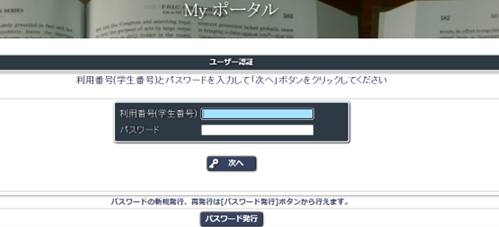
② Enter your student registration number and press [Send].
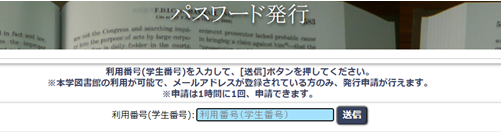
③ Click the URL in the "Password Issuance Confirmation" email that will be sent to the university's email address. Enter the student registration number again.
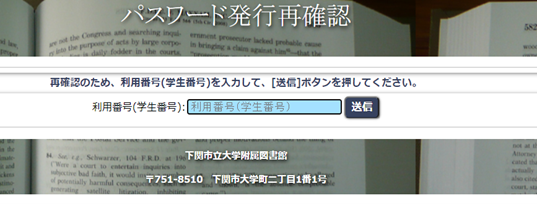
④ Since a temporary password will be issued, enter your student ID number and temporary password on the login screen in 1 and log in. ※Leave a note to use it until you change your password in My Portal
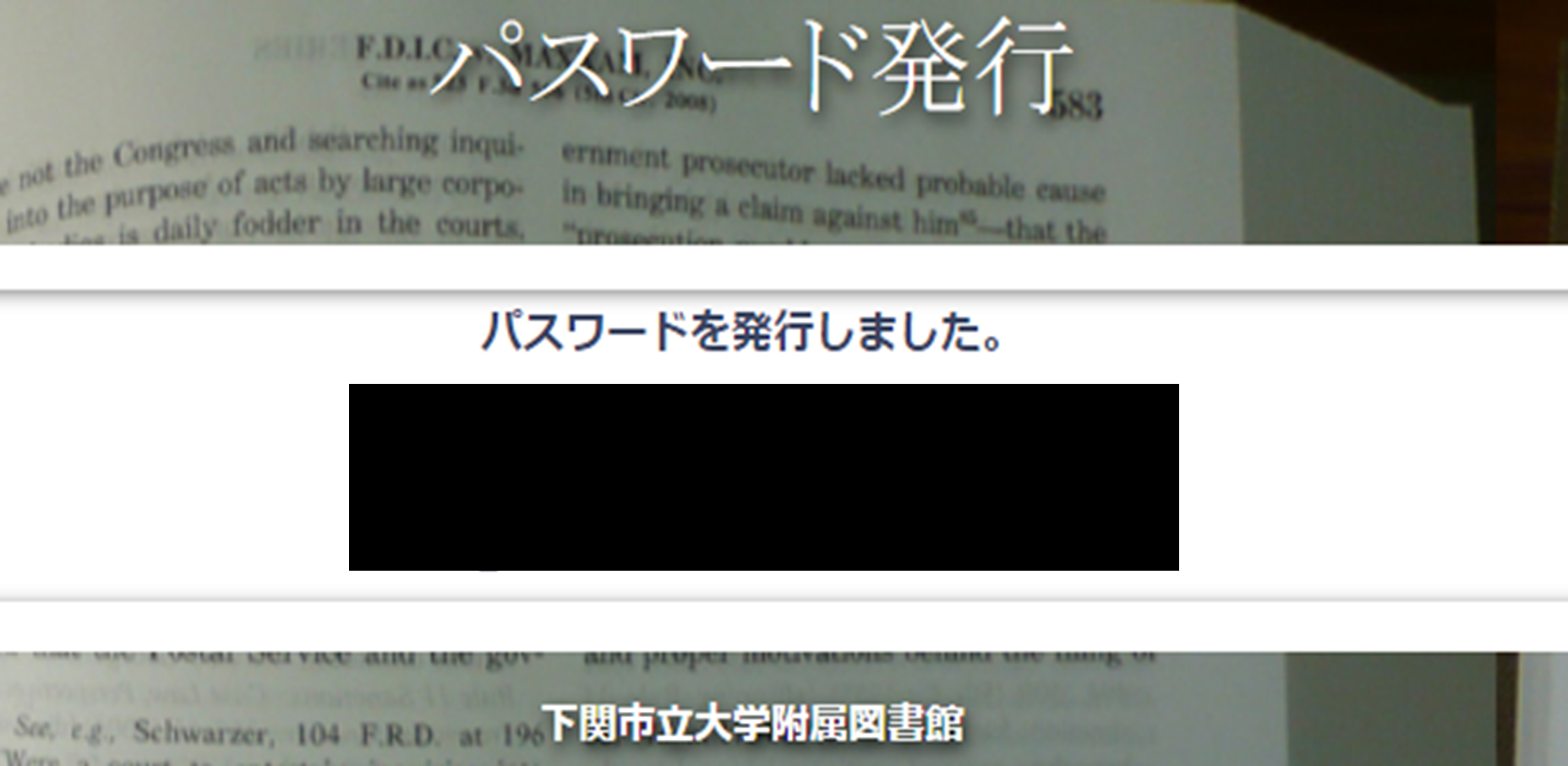
⑤ You can check your usage status, book reservations, purchase requests, and mutual use (ILL).
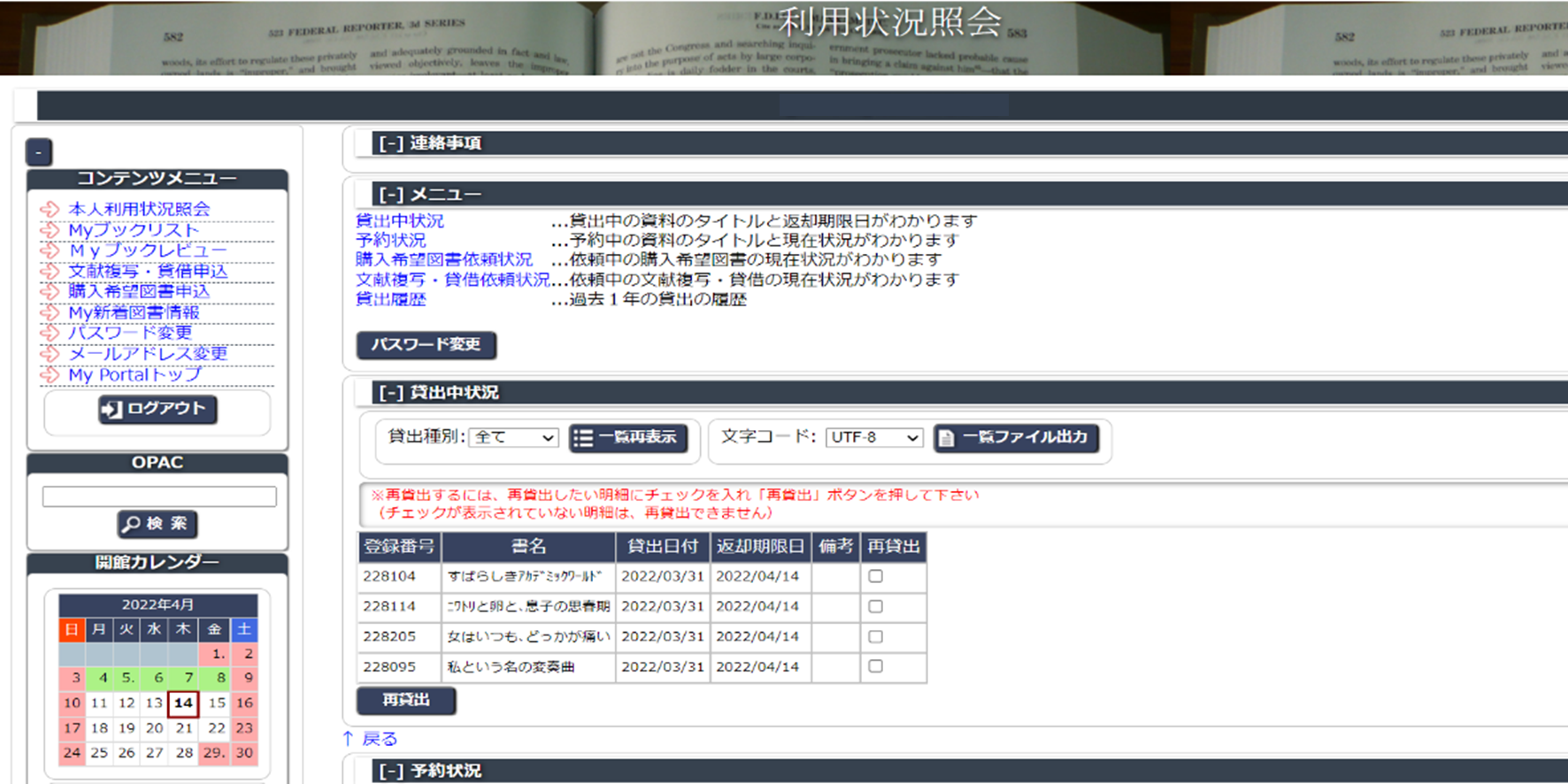
About Function
Inquiry of personal use
You can see the status of lending, reservation status, book purchase application, document copying / borrowing request status, loan history (for the past year).
My Book List
You can add it to your booklist from the OPAC search result screen.
Document copying and lease application
You can apply for a request to order documents and books from other university libraries.
Application for purchase of library books
You can request books you want to prepare for the library. The purchase will be decided after examination by the director of the library.
For details, please refer to the following manual.